Professional Headshots: Complete Guide
What professional headshots need, from light and clothing to a portrait that still looks like you, and how to make one from a photo you already have today.
What professional headshots are actually for
A professional headshot is more than just a flattering photo. It serves as your visual business card in the digital world. Whether you are a job seeker, a business owner, a freelancer, or an employee, your headshot is often the first impression you make on colleagues, clients, hiring managers, and partners. It communicates professionalism, approachability, and credibility in a single glance.
Headshots are used across a range of platforms: LinkedIn profiles, company websites, email signatures, conference speaker bios, and even internal directories. In today’s professional landscape, a headshot is not just for actors or executives. Almost everyone benefits from having a current, polished image that reflects their role and personality. It is a tool for personal branding, helping you stand out in a crowded marketplace and making sure you are remembered for the right reasons.
The function of a headshot is to represent you authentically, but in your best light. Unlike casual snapshots, a professional headshot is specifically crafted for business or career purposes. It is designed to meet the expectations of your industry, to align with your company’s image, and to give a sense of who you are before you even say a word. Whether you’re booking a session, using an online tool, or considering skipping the process altogether, understanding the purpose of a headshot helps you make a more informed choice about how much time, effort, and budget to invest.
Light, crop, and background
Three elements define the technical quality of a professional headshot: lighting, crop, and background. Each contributes to the impression your image creates and the message it sends.
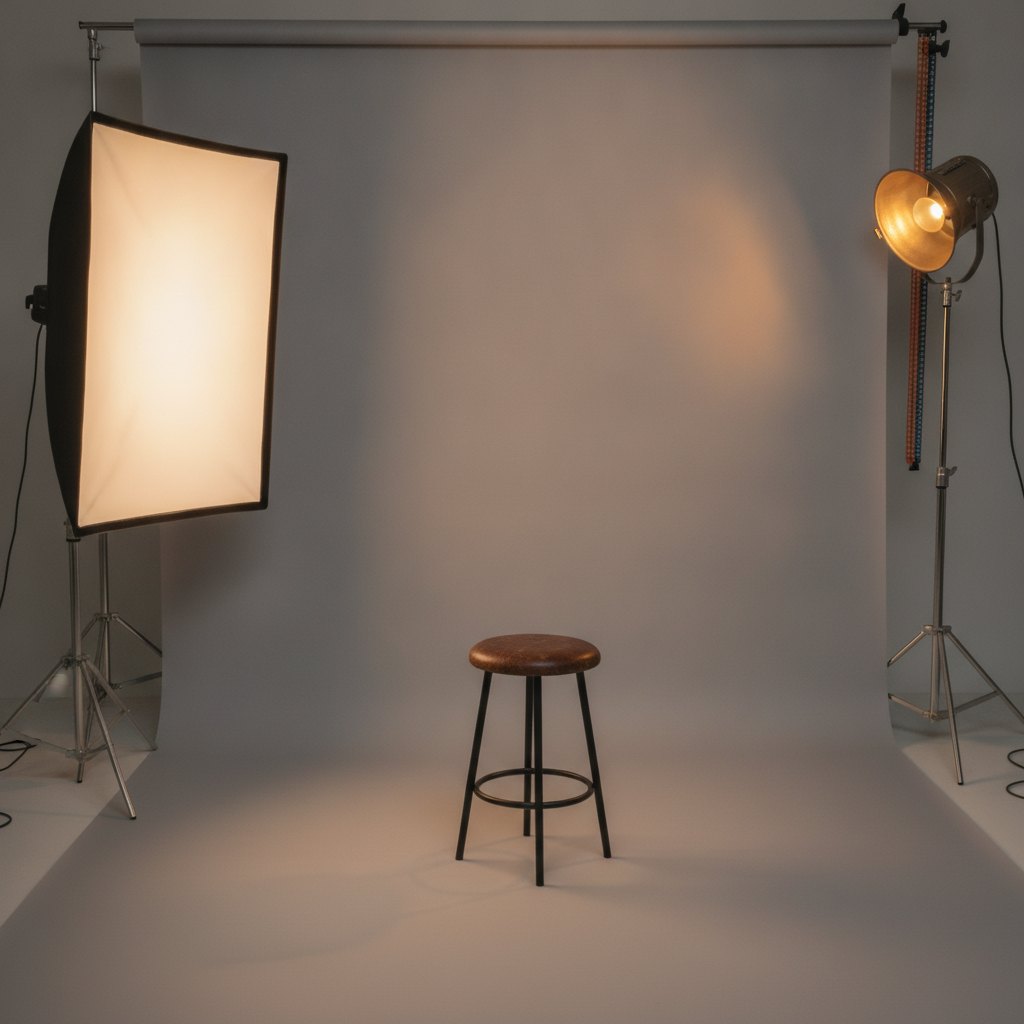
Lighting is the foundation of any good headshot. Soft, diffused light is preferred because it minimizes harsh shadows and flatters the subject’s features. In a studio, this is typically achieved with large softboxes or umbrella lights placed at angles to sculpt the face gently. Natural light from a large window can work well, but direct sunlight or overhead lighting should be avoided, as they can create unflattering shadows or highlights. If you are taking a headshot at home, aim for daylight coming from the side, and avoid using a camera flash, which can wash out the face and create glare.
Crop refers to how tightly the image is framed. Standard headshots usually show the subject from the chest or shoulders up, filling the frame so that the face is the focal point. This crop communicates confidence and approachability while keeping distractions to a minimum. A crop that is too wide can include unnecessary background, while one that is too tight can feel claustrophobic. Aim for a balance that shows your face clearly, with a bit of space above your head and your shoulders visible.
Background should be simple and uncluttered. Studio headshots often use plain white, gray, or soft-toned backdrops that don’t compete with the subject’s face. The goal is to keep attention on you, not on what’s behind you. If you’re creating a headshot at home, choose a plain wall or a subtle, out-of-focus setting. Avoid busy patterns, strong colors, or anything that might distract from your expression. Some online headshot tools, like WorkHeadshot, can replace or blur backgrounds to achieve a professional look from a single photo.
What to wear and what to skip
What you wear in a headshot should reflect your industry, your role, and your personal style, while avoiding distractions or visual clutter. The right clothing helps you appear polished and confident, while the wrong choices can undermine the professional purpose of the photo.
For most business environments, simple and well-fitted clothing in solid colors works best. Choose tops or shirts in shades that complement your skin tone and avoid overly bright or neon colors, which can cast unflattering hues on your face. Classic options like a tailored blazer, a neat blouse, or a crisp shirt are always safe bets. Subtle patterns, such as fine stripes or small checks, can work if they are not too busy, but large prints and logos should be avoided as they draw attention away from your face.
Jewelry and accessories should be minimal. Small earrings, a simple necklace, or a watch can be appropriate, but anything too flashy or oversized will become a focal point. For those who wear glasses daily, it’s best to wear them in your headshot, but check that they are clean and positioned to avoid glare from the lights. If you have long hair, consider how you want it styled—pulled back for a more formal look, or left down for a softer appearance.
Avoid clothing that is too casual, such as t-shirts with slogans, hoodies, or anything that looks worn or wrinkled. Avoid sleeveless tops, as bare arms can be distracting and may not translate well in a tightly cropped image. Bright white shirts can sometimes blow out under studio lighting, so light blue, gray, or pastel shades are often safer choices. Ultimately, choose an outfit that makes you feel confident and represents how you want to be seen in your professional life.
A studio session versus one photo at home
When deciding between a professional studio session and taking your own photo at home, consider your goals, resources, and the level of quality you need. Both options have their advantages and limitations.
A studio session offers the highest level of control and quality. Professional photographers understand how to use lighting, posing, and composition to bring out your best features. The studio environment is designed to minimize distractions, and you can typically try multiple outfits and backgrounds. You also benefit from the photographer’s ability to coach you on posture, expression, and how to relax in front of the camera. After the shoot, images are retouched to correct minor flaws, adjust color, and ensure a polished finish. For those in client-facing roles, leadership positions, or industries where image is critical, booking a studio session is often worth the investment.
Taking a photo at home is a practical alternative, especially for those on a budget or with limited time. With good natural light, a neutral background, and attention to the basics of posing and attire, it is possible to create a decent headshot using a camera or even a phone. However, home setups rarely match the technical quality of a studio, and common mistakes—such as poor lighting, distracting backgrounds, or awkward crops—are more likely. If you opt for this route, consider using an online headshot tool that can enhance your photo, adjust the background, and optimize the image for professional use.
The choice between studio and home depends on your needs. If your headshot will be seen by many people or used for years, a studio session is a good investment. If you need something quickly, for a short-term project, or are just starting out, a well-prepared home photo can suffice—especially with post-processing tools to help bridge the gap in quality.
How to judge the finished portrait
When evaluating your finished headshot, look for qualities that communicate professionalism, authenticity, and approachability. The best headshots capture your personality while meeting the expectations of your field.
Start by assessing lighting and exposure. Your face should be evenly lit, with no harsh shadows or blown-out highlights. The image should be sharp, with your eyes in clear focus. Check that the color looks natural and that your skin tone is accurate—not overly red, yellow, or blue.
Next, examine the composition and crop. Your face should be the focal point, with your eyes positioned about a third of the way down from the top of the frame. There should be enough space above your head and your shoulders should be visible. The background should be clean and unobtrusive, ensuring nothing distracts from your expression.
Consider your expression and posture. Aim for a natural, relaxed expression—something between a full smile and a neutral look. Forced or unnatural expressions can make you seem uncomfortable or insincere. Good posture projects confidence, so sit or stand tall, with your shoulders back and your chin level.
Finally, check for retouching. The best headshots look polished but not artificial. Minor blemishes or stray hairs might be corrected, but your features should remain true to life. Overly retouched images—where skin looks plastic or features are altered—can undermine trust and authenticity.
If you’re unsure about your headshot, ask for feedback from colleagues or mentors in your industry. A second opinion can help you spot issues you might have missed and confirm that your image sends the right message.
Frequently Asked Questions
How many professional headshots do I need?
Most professionals only need one or two current headshots for everyday use, such as LinkedIn and company profiles. However, having a few variations—different outfits, expressions, or crops—can be useful for specific contexts like conferences, press releases, or different social media platforms.
What should I wear for professional headshots?
Choose solid colors or subtle patterns that complement your skin tone and reflect your role. Avoid logos, busy prints, and overly casual clothing. The key is to look polished and approachable while staying true to your professional image.
Can a phone photo become a professional headshot?
A phone photo can be used for a professional headshot if it is taken with good lighting, a clean background, and careful attention to posing. Online tools, such as WorkHeadshot, can enhance these images by adjusting backgrounds and optimizing quality.
How long does a headshot stay current?
A headshot should be updated every two to three years, or sooner if your appearance changes significantly (such as a new hairstyle, glasses, or facial hair). Keeping your photo current ensures you are recognized and accurately represented in professional contexts.
Are professional headshots the same as portraits?
Professional headshots focus on the face and shoulders, emphasizing clarity and approachability for business or career use. Portraits are a broader category, often more artistic or expressive, and can include wider crops, varied poses, and different settings.
Make your work headshot
Ready to create or update your professional headshot? WorkHeadshot offers a flexible, affordable way to get studio-quality headshots from just one photo—no appointment or special equipment needed. Plans include Studio ($29 once for 24 headshots), Weekly ($12 for 16 headshots each week), and Monthly ($29 for 80 headshots per month), with your first headshot free. Explore your options and get started at workheadshot.com/studio.